はじめに
ちょっと良いことがあったので、自分へのご褒美にデスク周りの環境をアップデートすることにした。本記事はその過程を記録するものである。特にまとまりはないと思われるが、人によっては一部参考になるかもしれない。
ハードの更新
M5 MacBook Air
ここ5年くらいはM1 MacBook Airで戦ってきた。流石にそろそろ変えるか、という感じ。Proを購入するかは迷うところだったが、
- 持ち運び重視→持ち運び面で13インチが最適サイズだと思っている
- M1の時点でスペック不足を感じない
という理由からAirとした。Neoという廉価版モデルが出ているからか、ベースモデルでもメモリ16GB・ストレージ512GBとのことだった。現在の倍になることを考慮するとベースモデルで十分と判断した。キーボードは📘HHKB Type-S US配列を使い始めた手前US配列とし、色はシルバーとした。
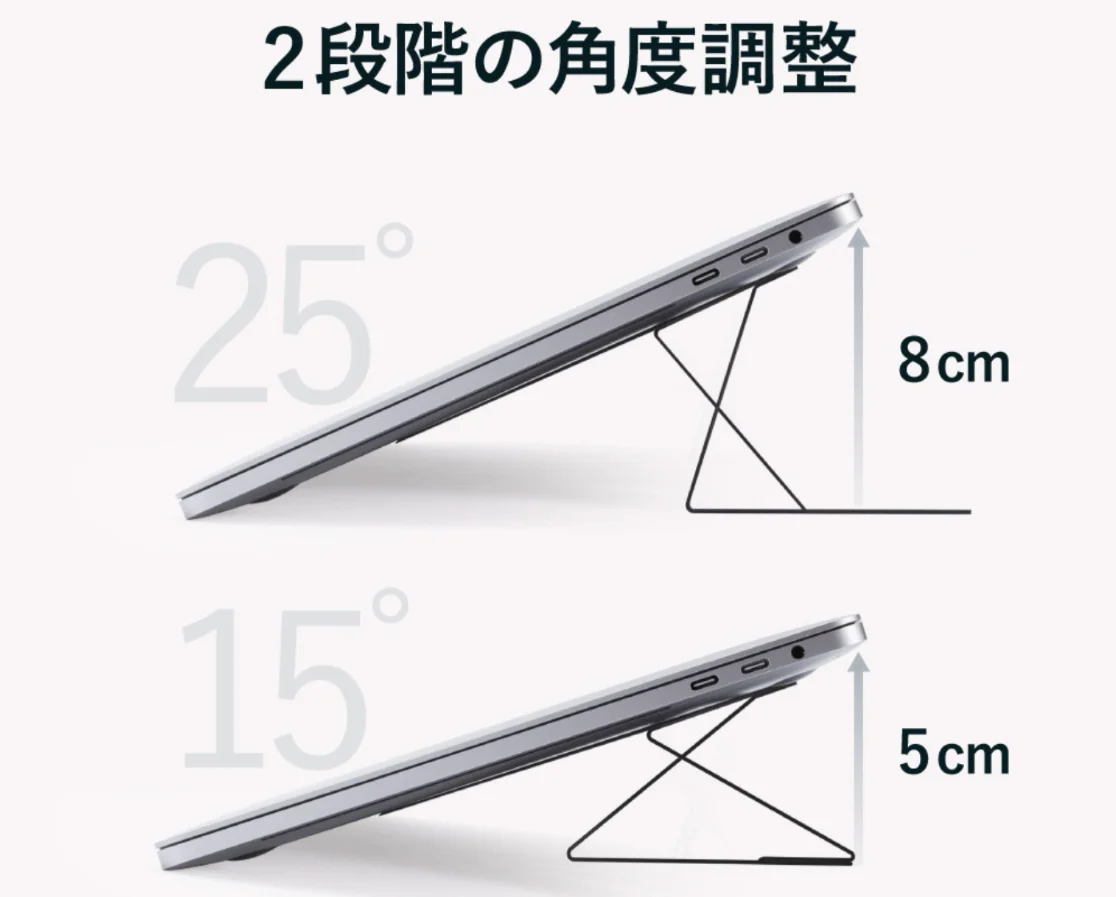
さらに、ノートパソコンスタンドを購入。これはあるなしでだいぶ姿勢やタイピングに違いが出るので必須。
その他、保護フィルムを適当に購入。
モニターアーム
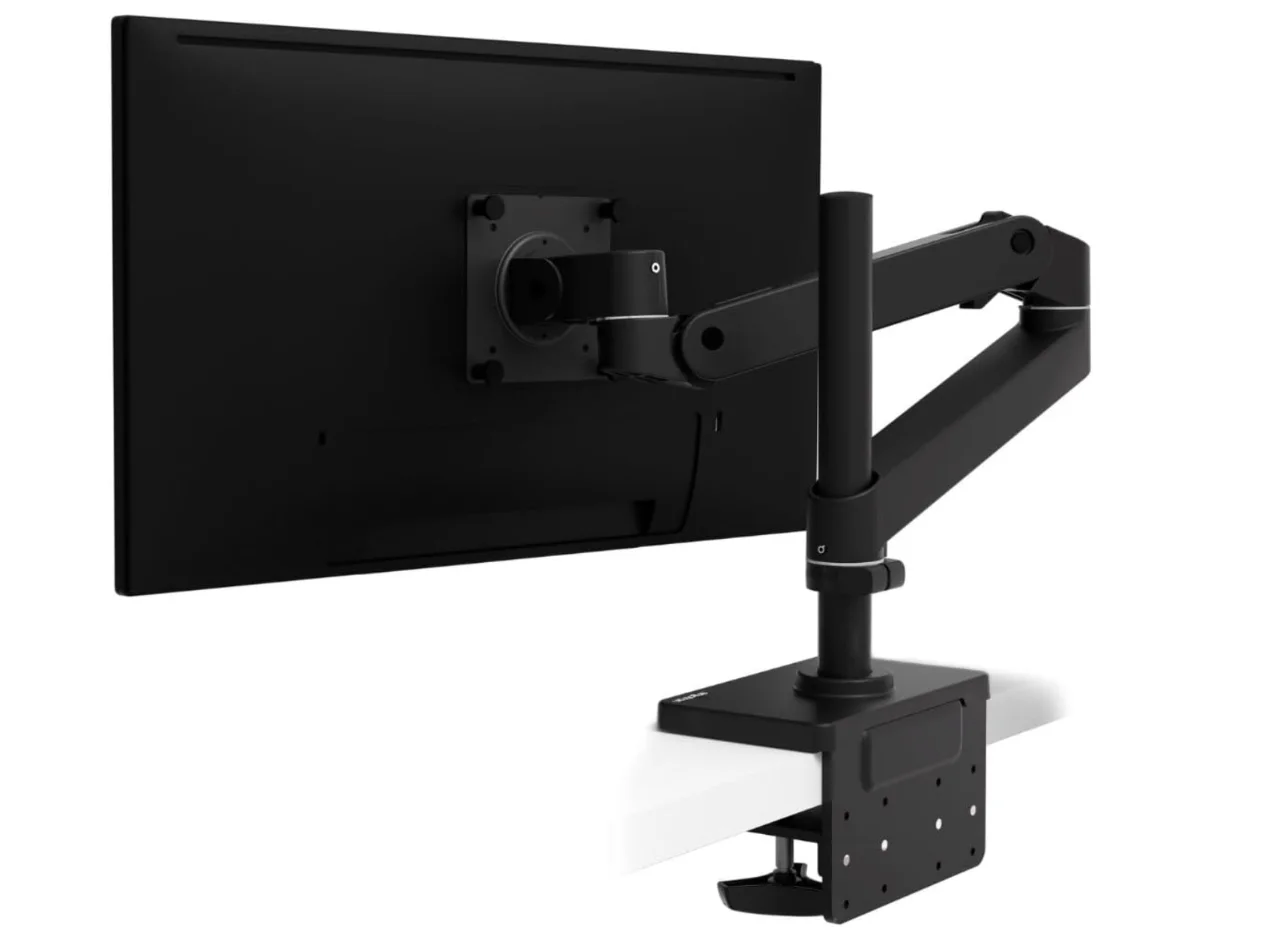
エルゴトロンのLX Proのロングポールのものを購入した。現在まではAmazonで買える一番安いモニターアームを使用していたが、動かないのと高さが出ないので買い替えることとした。
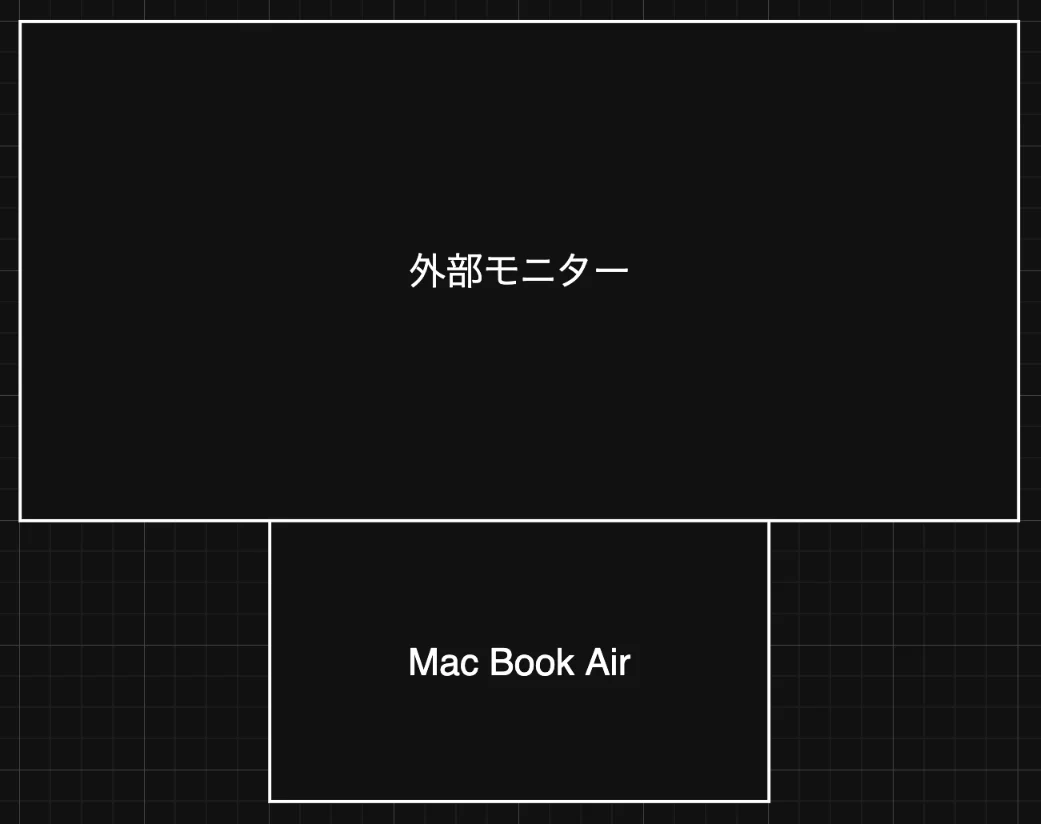
外部モニターはノートパソコンと縦並べで使用している。この配置の場合、少し高さを出せるモニターアームが望ましい。また、今後ディスプレイを増やす可能性を考慮するとロングポールは有利だろう。
モニターライト
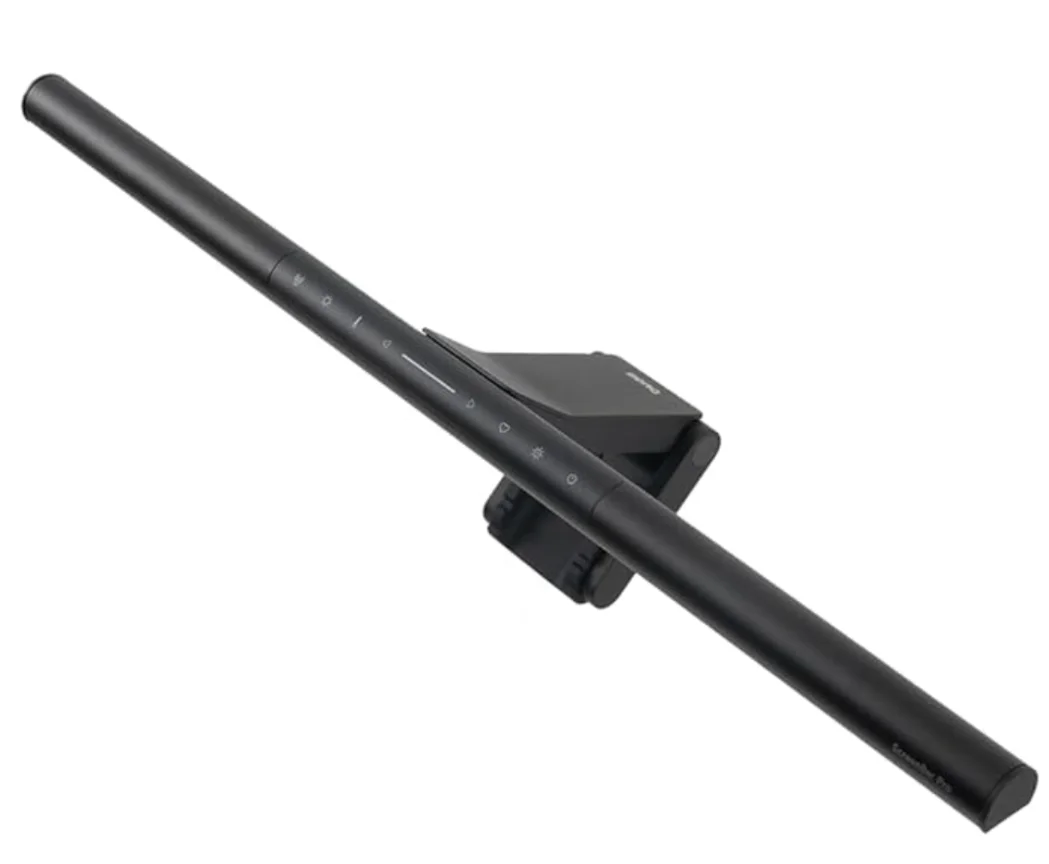
BenQ ScreenBar Proを購入した。夜間の作業が捗りそう。自動点灯が良い感じ。
配線
ケーブル収納ボックスとタコ足配線を導入した。配線がスッキリした。
検討したが購入しなかったもの
外付けHDD
なんと10年選手のHDDをTime Machine用に使用していたが、廃棄とした。新規購入はしなかった。理由は、データの大半はクラウドストレージ(pCloud)やGitHubで管理しているためTime Machine用途はほとんど不要であること、手術動画などは外付けSSDのT7 Shieldで個別管理していることなどである。バックアップが必要なもののみ個別対応で十分と判断した。
椅子
ニトリのオフィスチェア(OC707 エラストマーメッシュ BK)というコスパ系の椅子を使っている。まだヘタれていないので続投とした。
デスク
よくわからないガタガタのデスクを使っているのだが、良いものを買おうとするとなかなか値が張るので今回は見送ることにした。
M5への移行作業
移行アシスタントは使わず、手作業で必要なデータを移し替えた。brew管理のツールも厳選した。
BrewfileはHomebrewでインストールするパッケージを一覧化したファイルで、brew bundleコマンドで一括インストールできる。
tap "masaki39/tap", trusted: true
# Clone of cat(1) with syntax highlighting and Git integration
brew "bat"
# Resource monitor. C++ version and continuation of bashtop and bpytop
brew "btop"
# Cut, copy, and paste anything, anywhere, all from the terminal
brew "clipboard"
# Container runtimes on MacOS (and Linux) with minimal setup
brew "colima"
# Filename encoding conversion tool
brew "convmv"
# Command-line csv viewer
brew "csvlens"
# Interactive Commitizen CLI that generate standardized commit messages
brew "czg"
# Reference implementation for the Development Containers specification
brew "devcontainer"
# Pack, ship and run any application as a lightweight container
brew "docker"
# Modern, maintained replacement for ls
brew "eza"
# Simple, fast and user-friendly alternative to find
brew "fd"
# Play, record, convert, and stream select audio and video codecs
brew "ffmpeg"
# Command-line fuzzy finder written in Go
brew "fzf"
# GitHub command-line tool
brew "gh"
# Interpreter for PostScript and PDF
brew "ghostscript"
# Remote repository management made easy
brew "ghq"
# Distributed revision control system
brew "git"
# Syntax-highlighting pager for git and diff output
brew "git-delta"
# Tools and libraries to manipulate images in select formats
brew "imagemagick"
# Lightweight and flexible command-line JSON processor
brew "jq"
# Simple terminal UI for git commands
brew "lazygit"
# Easily convert Marp Markdown files into static HTML/CSS, PDF, PPT and images
brew "marp-cli"
# Ambitious Vim-fork focused on extensibility and agility
brew "neovim"
# Fast, disk space efficient package manager
brew "pnpm"
# PDF rendering library (based on the xpdf-3.0 code base)
brew "poppler"
# SVG rendering tool and library
brew "resvg"
# Search tool like grep and The Silver Searcher
brew "ripgrep"
# Utility that provides fast incremental file transfer
brew "rsync"
# 7-Zip is a file archiver with a high compression ratio
brew "sevenzip"
# Cross-shell prompt for astronauts
brew "starship"
# Extremely fast Python package installer and resolver, written in Rust
brew "uv"
# Command-line interface for Vercel
brew "vercel-cli"
# Blazing fast terminal file manager written in Rust, based on async I/O
brew "yazi"
# Shell extension to navigate your filesystem faster
brew "zoxide"
# Fish-like fast/unobtrusive autosuggestions for zsh
brew "zsh-autosuggestions"
# Fish shell like syntax highlighting for zsh
brew "zsh-syntax-highlighting"
# Interactive Zotero CSL style selector with clipboard integration
brew "masaki39/tap/csl"
# Interactive ghq repository picker with fzf
brew "masaki39/tap/ghq-fzf"
# Typewriter effect CLI - type text char by char or display fortune messages
brew "masaki39/tap/typewriter"
# Memory training application
cask "anki"
# Fujitsu ScanSnap Scanner software
cask "fujitsu-scansnap-home"
# Terminal emulator that uses platform-native UI and GPU acceleration
cask "ghostty"
# Web browser
cask "google-chrome"
# Japanese input software
cask "google-japanese-ime"
# Desktop automation application
cask "hammerspoon"
# Allows keymap customization on HHKB HYBRID Type-S and HYBRID models
cask "hhkb"
# Keyboard shortcuts for every button on your screen
cask "homerow"
# Keyboard customiser
cask "karabiner-elements"
# Spreadsheet software
cask "microsoft-excel"
# Presentation software
cask "microsoft-powerpoint"
# Word processor
cask "microsoft-word"
# Knowledge base that works on top of a local folder of plain text Markdown files
cask "obsidian"
# Control your tools with a few keystrokes
cask "raycast"
# Medical image processing and visualization system
cask "slicer"
# Collect, organise, cite, and share research sources
cask "zotero"
rsyncとリモートログインに助けられる
一部のローカルのみのデータ(下記はghqリポ)はrsyncとリモートログイン機能によってスムーズに移行できた。
事前準備として、旧Mac側でシステム設定 → 一般 → 共有 → リモートログインをオンにしておく。旧MacのローカルIPはシステム設定 → 一般 → 情報で確認できる。
OLD_USER="your_username"  # 旧Macのユーザー名
OLD_HOST="192.168.x.x"   # 旧MacのローカルIP

# ghq リポ(dotfilesは除外)
rsync -avz -e "ssh -o IdentitiesOnly=yes -o PreferredAuthentications=password" \
  --exclude='._*' --exclude='.DS_Store' --exclude='github.com/masaki39/dotfiles' \
  "${OLD_USER}@${OLD_HOST}:~/ghq/" ~/ghq/
-e "ssh -o IdentitiesOnly=yes -o PreferredAuthentications=password"はSSH鍵ではなくパスワード認証を強制するオプションで、新Macに旧Macの公開鍵が登録されていない場合でも接続できる。-avzはアーカイブモード・詳細表示・圧縮転送の略。
rsyncは神。
おわりに
細かいところ含め4時間くらい。使用していたM1 MacBook Airは初期化して家族のものになった。